Interactive Whiteboard vs Projector: Which Is Better for Classrooms?


Interactive Whiteboard vs Projector: Which Is Better for Classrooms?
A Complete Buyer’s Guide for Modern Classrooms
As digital transformation accelerates in education, interactive whiteboards for schools have become a core component of smart classrooms worldwide. From K-12 schools to universities and training centers, choosing the right interactive display solution directly impacts teaching efficiency, student engagement, and long-term ROI.
This guide will help school administrators, IT managers, and educators understand how to choose the best interactive whiteboard, what technical specifications matter most, and how brands like FVASEE support future-ready education.
What Is an Interactive Whiteboard?
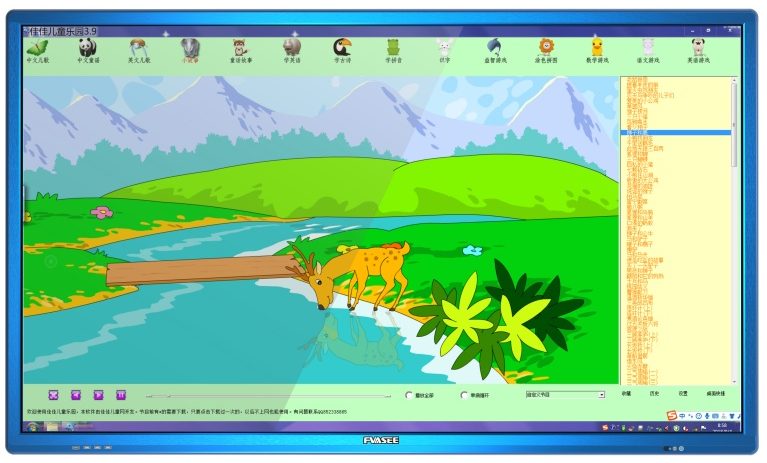
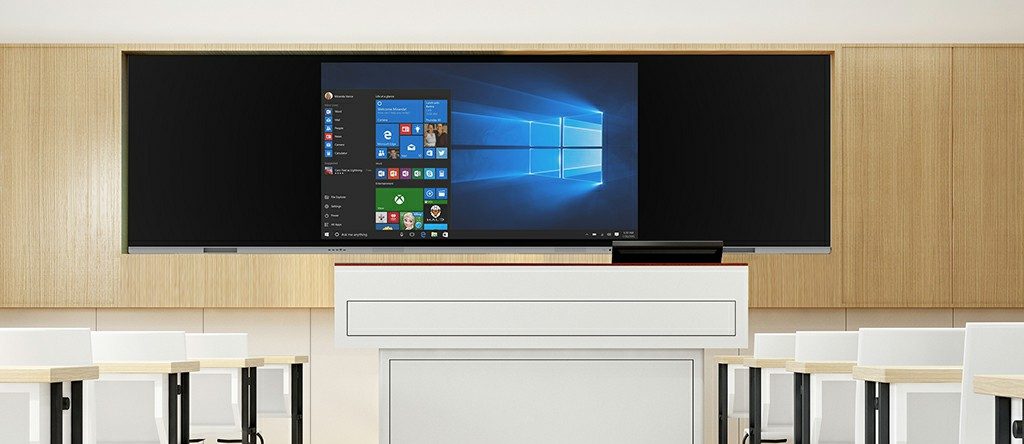
An interactive whiteboard (IWB) is a large-format touch display that allows teachers and students to interact directly with digital content using fingers or pens. Unlike traditional projectors, modern interactive whiteboards integrate:
Ultra-HD LED displays
Multi-touch technology
Built-in operating systems (Android / Windows OPS)
Educational software ecosystems
They are also commonly referred to as:
Interactive flat panel displays
Smart boards for classrooms
Touchscreen whiteboards
Why Interactive Whiteboards Matter in Education
1. Improved Student Engagement
Interactive whiteboards turn passive learning into active participation, encouraging collaboration, discussion, and real-time problem solving.
2. Support for Blended & Hybrid Learning
With screen sharing, annotation, and cloud integration, teachers can seamlessly combine online and offline teaching.
3. Long-Term Cost Efficiency
Compared with projector-based systems, interactive flat panels offer:
Lower maintenance costs
No lamp replacement
Higher durability and lifespan

Key Factors to Consider When Choosing an Interactive Whiteboard
1. Screen Size & Classroom Fit
Choosing the correct screen size depends on classroom dimensions and viewing distance.
| Classroom Type | Recommended Size |
|---|---|
| Small classrooms | 65 inch |
| Standard classrooms | 75 inch |
| Large classrooms / lecture halls | 86 inch |
FVASEE interactive whiteboards offer full size coverage from 65” to 86”, ensuring optimal visibility in any teaching environment.
2. Touch Technology & Accuracy
High-quality touch performance is critical for writing, drawing, and multi-user interaction.
Look for:
Infrared or capacitive touch
At least 20-point multi-touch
Low latency (<10ms)
FVASEE displays are designed for smooth handwriting, precise annotation, and multi-user collaboration.
3. Operating System & Compatibility
A modern interactive whiteboard should support multiple systems:
Built-in Android OS for quick startup
Optional Windows OPS for advanced applications
Compatibility with Google Classroom, Microsoft Teams, Zoom
This ensures teachers can easily integrate existing educational software and workflows.

4. Built-In Teaching Software
Hardware alone is not enough. Strong educational software greatly enhances teaching efficiency.
Essential features include:
Whiteboard annotation tools
Screen recording for lesson replay
Wireless screen sharing
Cloud file access
FVASEE interactive whiteboards come with education-focused software, optimized for lesson creation, presentation, and collaboration.
5. Connectivity & I/O Ports
A school-friendly interactive whiteboard should support:
HDMI / USB-C / USB-A
LAN & Wi-Fi
Bluetooth peripherals
Wireless casting from laptops, tablets, and smartphones
This flexibility is essential for BYOD (Bring Your Own Device) classrooms.
6. Durability & Safety for School Use
Educational environments demand robust and safe hardware:
Tempered anti-glare glass
Scratch-resistant surface
Low blue-light certification
Energy-efficient design
FVASEE products are designed to meet education safety standards and long daily usage cycles.

Interactive Whiteboard vs Projector: Which Is Better?
| Feature | Interactive Whiteboard | Projector |
|---|---|---|
| Image quality | 4K Ultra HD | Limited by ambient light |
| Maintenance | Low | High (lamp replacement) |
| Touch interaction | Direct & multi-touch | Limited |
| Lifespan | 50,000+ hours | Shorter |
| Long-term cost | Lower | Higher |
For most schools, interactive flat panels are now the more future-proof solution.
Why Choose FVASEE Interactive Whiteboards?
FVASEE focuses on delivering reliable, education-oriented interactive display solutions for global schools and institutions.
FVASEE Advantages:
Full-size range for different classroom needs
Stable touch performance for daily teaching
Education-optimized system and UI
Competitive pricing for large-scale school projects
OEM / ODM customization for education brands
FVASEE interactive whiteboards are widely used in:
Primary & secondary schools
Universities and colleges
Training centers
Smart education projects
Final Checklist Before Purchasing
Before making a final decision, ask these questions:
✔ Is the screen size suitable for the classroom?
✔ Does it support multi-touch and smooth writing?
✔ Is the system compatible with existing software?
✔ Are maintenance and long-term costs reasonable?
✔ Does the supplier offer technical support and customization?
Conclusion
Choosing the right interactive whiteboard for schools is not just a hardware decision—it’s an investment in modern teaching, student engagement, and digital transformation.
By focusing on display quality, touch technology, software compatibility, and long-term reliability, schools can build smarter classrooms that support both teachers and students.
FVASEE is committed to empowering education with professional, scalable, and future-ready interactive whiteboard solutions.