How EDLA-Certified Interactive Panels Transform Modern Classrooms | FVASEE


How EDLA-Certified Interactive Panels Can Transform Modern Classrooms
Unlocking Next-Gen Learning with FVASEE Smart Interactive Displays
As education continues to evolve, schools are adopting interactive panel technology to create engaging, collaborative, and future-ready learning environments. FVASEE EDLA-certified interactive panels bring native access to powerful teaching tools, app ecosystems, and seamless device integration — making them a transformative choice for K-12 schools, universities, and training centers around the world.
What Is EDLA Certification and Why It Matters
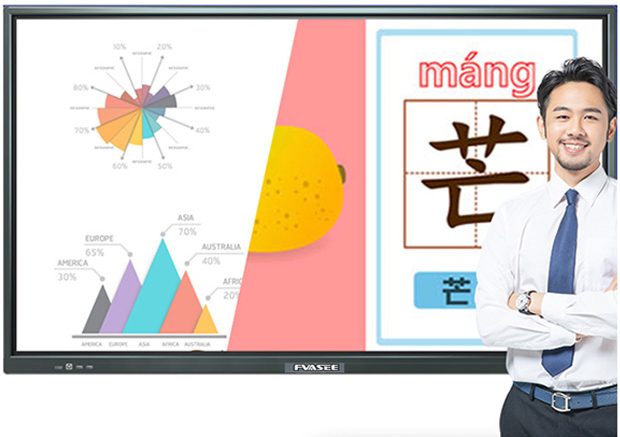
Google’s Enterprise Devices Licensing Agreement (EDLA) allows larger Android-based devices, including interactive whiteboards and interactive flat panels, to run Google Mobile Services (GMS) natively.
This means EDLA-certified interactive panels can run Google Classroom, Google Drive, Google Docs, Google Sheets, and other education apps directly from the display — without the need to mirror another device.
For schools that already use Google tools in instruction, EDLA certification enables smooth access to familiar apps and familiar workflows, simplifying lesson delivery and reducing the complexity of classroom technology.
Key Benefits of EDLA-Certified Interactive Panels for Classrooms
1. Native Access to Google and Education Apps
With EDLA certification, interactive panels are not limited to screen mirroring. Teachers and students can:
Open Google Classroom or Drive directly
Edit Sheets, Slides, and Docs on the panel
Use favorite educational apps from the Google Play Store
This direct app access makes interactive panels for education a versatile platform for collaboration, content delivery, and student participation.
2. Enhanced Security and Long-Term Support
EDLA-certified devices commit to delivering ongoing security updates and firmware improvements throughout the lifecycle. This ensures schools benefit from robust protection against vulnerabilities while keeping the panel’s software current.
A secure interactive panel means IT administrators can focus on supporting learning innovation rather than troubleshooting security gaps.
3. Broader App and Teaching Tool Compatibility
Unlike traditional interactive displays that only support a fixed set of tools, EDLA-certified panels offer access to a wide ecosystem of Android apps, including:
Educational games and student engagement tools (e.g., Quizlet, Kahoot)
Collaborative learning tools for group activities
Specialized apps tailored to specific subjects
This interactive learning platform allows teachers to tailor lessons with technology that meets diverse classroom needs.
4. Flexible Classroom Integration
EDLA-certified interactive panels are designed for compatibility with existing school technology ecosystems. Whether a school uses Chromebooks, tablets, or laptops, the panel seamlessly integrates with these devices, making resource sharing, lesson management, and student collaboration easier.
5. Multi-Touch Collaboration and Active Learning
Modern interactive panels support multi-touch input, allowing multiple students to write, annotate, and interact with content at the same time. Some panels also offer features like split-screen note zones, enabling small groups to work independently on a single display — perfect for collaborative classroom activities.

Practical Classroom Use Cases
👉 Run Group Activities with Powerful Apps
Download educational apps directly onto the panel to run interactive lessons, quizzes, and games. Teachers can use tools like Mentimeter or Quizlet to host classwide participation and instant feedback.
👉 Collaborative Document Editing
With native Google integration, teachers and students can annotate presentations, edit documents, or work together on real-time group projects without leaving the display interface.
👉 Seamless Lesson Access
Pull up assignments, class resources, and student work directly on the panel. Teachers no longer need to connect external computers — the panel becomes the central hub for digital instruction.
Why FVASEE EDLA-Certified Interactive Panels Are Ideal for Schools
FVASEE smart interactive panels are engineered with education-centric features:
High-resolution, eye-friendly displays
Smooth multi-touch and stylus interaction
Support for Android apps via Google Play (EDLA-enabled)
Secure, scalable deployment for school IT environments
Flexible installations for classrooms of all sizes
Together, these capabilities make FVASEE panels a powerful foundation for digital classrooms that prioritize accessibility, engagement, and collaborative learning.
Transform Your Classroom with Intelligent Interactive Panels
Upgrading to an EDLA-certified interactive panel helps educators harness the full potential of digital education tools. From enhanced student engagement to easier lesson preparation and device compatibility, interactive panel technology supports active learning strategies that benefit both teachers and students.
Explore FVASEE EDLA-enabled interactive panels and discover how modern display technology can elevate teaching and learning in your school.